Omni-Channel Experience
Creating a Seamless Multi-Platform User Experience
A comprehensive redesign of the Executive Manager Insights experience in ADP's Analytics mobile app, bringing it to parity with the Practitioner experience on desktop.
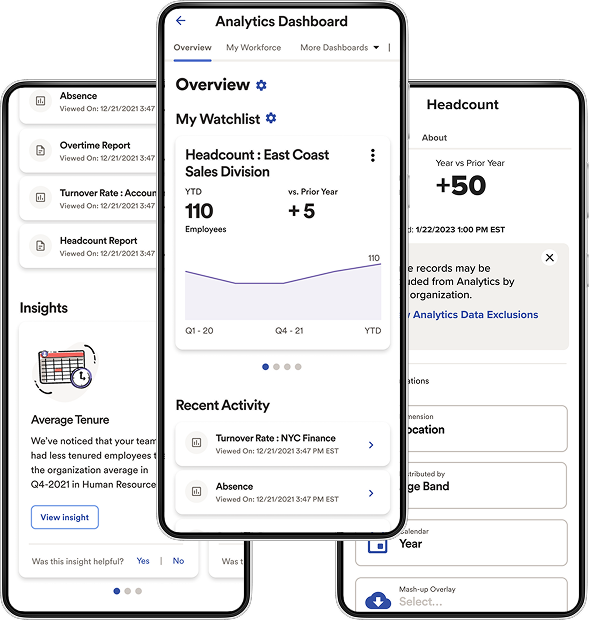
Redesigned Executive Manager Insights experience, ADP Analytics mobile app
The Challenge
Executives lacked visibility into data changes and self-service troubleshooting on mobile. Practitioners couldn't test the executive experience before enabling it, so they didn't trust it — and lacked the access to support their teams remotely.
My Solution
Oversaw design direction from discovery to deployment — standardizing the Analytics interface across Practitioner, Executive, and First-line Manager roles, and adding transparency and self-service tools.
The Impact
- 80% conversion from legacy UI
- 30% reduction in tech debt post-launch
- Improved CSAT throughout implementation
Research & Discovery
Two roles, two very different problems
Problem definition was grounded in direct input from executives and HR practitioners — surfacing distinct, sometimes conflicting needs around visibility, trust, and self-service that the redesign had to reconcile.
- Executive user problem statement
- HR Practitioner user problem statement
- Cross-functional review with dev leads, PMs, QA
Key Findings
Onboarding Challenges
Practitioners couldn't test the executive experience before enabling it, leading to distrust and avoidance.
Visibility Limitations
Practitioners lacked access to the Executive Experience and faced a different interface than executives.
Transparency Gaps
Changes to executive-level data weren't communicated within the mobile interface — no alerts or notifications.
See full discovery detail — user problem statements & additional friction points
Executive Problem Statement
"Changes to executive-level data aren't clearly communicated, leaving me unaware of important updates until it's too late. I need better visibility and more control to respond swiftly."
Practitioner Problem Statement
"I can't test the Executive Experience before enabling it. I also lack the same data access and UI as executives, making it hard to troubleshoot remotely."
Troubleshooting Challenges
Practitioners struggled with remote troubleshooting, requiring physical presence and fearing executive misreporting or system errors.
Design Process
From discovery to development handoff
Understand
Defined distinct executive and practitioner problem statements.
Define
Prioritized friction points around visibility, trust, and transparency.
Design
Designed the unified interface, inline notifications, and cloning feature.
Validate
Coordinated with dev leads, product managers, and QA on quality and standards.
Deliver
Shipped to 80% adoption from the legacy UI.
The Redesigned Experience
One unified Analytics experience, across roles
Standardized interfaces for Analytics and Benchmarking across Practitioner, Executive, and First-line Manager roles — enhancing transparency and giving every role the tools to troubleshoot independently.
- Unified interface across all roles
- Inline change notifications
- Enhanced mobile chart interaction
- Cloning feature for remote troubleshooting
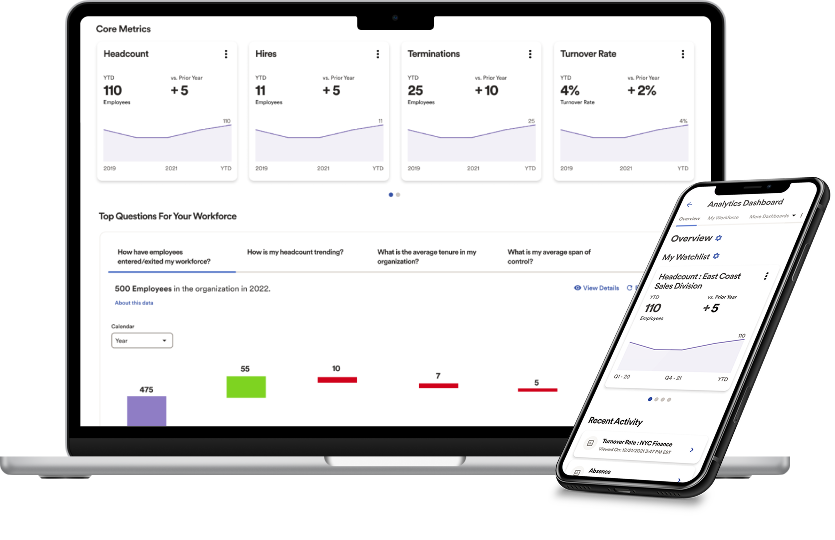
Unified Analytics experience, ADP Analytics desktop app
The Outcomes
Additional Use Cases
More case studies
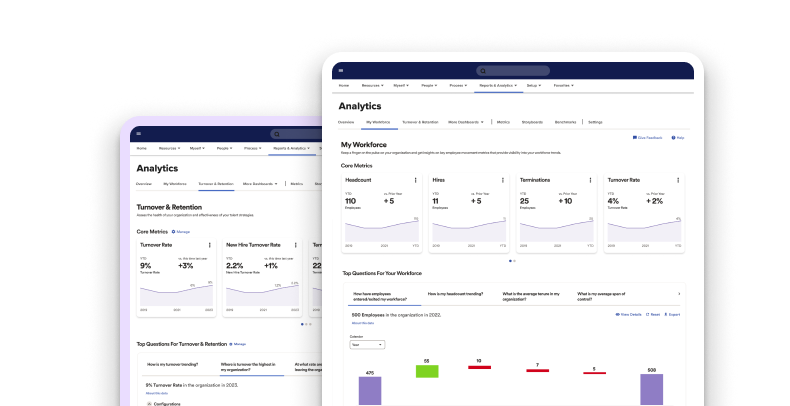
Enhancing Customer Retention Through Analytics Redesign
IA and dashboard redesign of ADP's Analytics & Benchmarking platform.
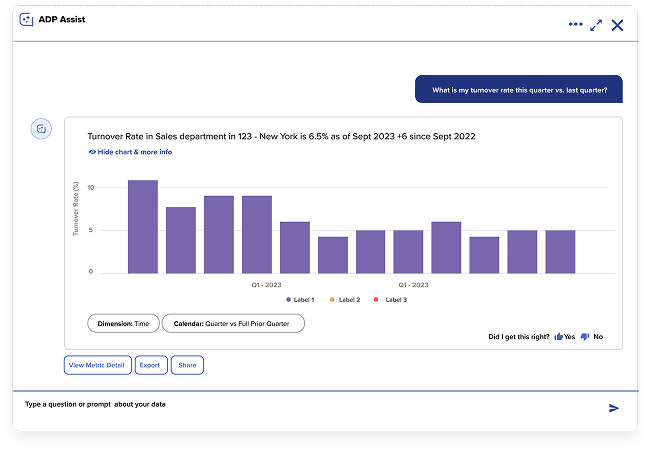
Optimizing Operational Efficiency with Generative AI
Ground-up product vision for an NLP-driven analytics assistant for HR and Payroll practitioners.